
Posted on

Dell Latitude 15-Inch 5520 Business Laptop: The Ultimate Remote Work Companion

Dell Latitude 15-Inch 5520 Business Laptop: The Ultimate Remote Work Companion

The ongoing COVID-19 pandemic has led to a massive shift in the way we work, with remote work becoming the norm for many businesses. While remote work offers many advantages, such as increased flexibility and reduced commuting time, it also presents some unique challenges. One of the biggest challenges of remote work is having the right tools and equipment to enable productivity, collaboration, and communication.

Enter the Dell Latitude 15-Inch 5520 Business Laptop – a game-changer for remote workers. This laptop is designed with remote workers in mind, and it comes with a range of features that make remote work easier, more efficient, and more enjoyable.

Powerful Specs for High-Performance Computing

One of the standout features of the Dell Latitude 15-Inch 5520 Business Laptop is its powerful specs. The laptop is powered by an Intel Core i7 processor, which is one of the most powerful processors available for laptops. This processor is capable of handling heavy workloads, such as video editing, graphic design, and data analysis, with ease. The laptop also comes with 16GB of RAM, which ensures smooth multitasking and seamless performance.

In addition to its powerful processor and ample RAM, the Dell Latitude 15-Inch 5520 Business Laptop also comes with a dedicated graphics card – the NVIDIA GeForce MX450. This graphics card is designed for high-performance computing and enables smooth graphics-intensive tasks, such as 3D modeling, rendering, and gaming.

Seamless Collaboration with Advanced Communication Features

One of the biggest challenges of remote work is staying connected and collaborating effectively with colleagues. The Dell Latitude 15-Inch 5520 Business Laptop comes with a range of advanced communication features that make remote collaboration seamless and efficient.

The laptop comes with an HD webcam, which enables high-quality video conferencing and remote meetings. The webcam is equipped with a privacy shutter, which ensures privacy and security when not in use. The laptop also comes with a noise-cancelling microphone, which filters out background noise and ensures crystal-clear audio during video conferencing.

In addition to its advanced communication features, the Dell Latitude 15-Inch 5520 Business Laptop also comes with a range of collaboration tools, such as Microsoft Teams and Skype for Business. These tools enable real-time collaboration, document sharing, and seamless communication between remote teams.

Improved Work-Life Balance with Long Battery Life and Ergonomic Design

Remote work can often blur the lines between work and personal life, making it difficult to maintain a healthy work-life balance. The Dell Latitude 15-Inch 5520 Business Laptop is designed to address this challenge by providing a long battery life and ergonomic design.

The laptop comes with a 68Wh battery, which provides up to 12 hours of battery life on a single charge. This means that remote workers can work uninterrupted for long periods without worrying about running out of battery.

In addition to its long battery life, the Dell Latitude 15-Inch 5520 Business Laptop also comes with an ergonomic design. The laptop features a comfortable keyboard with backlit keys, which enables typing in low-light conditions. The laptop also has a touchpad with multi-touch gesture support, which provides a more natural and intuitive way of interacting with the laptop.

The Dell Latitude 15-Inch 5520 Business Laptop is a must-have for remote workers. Its powerful specs, advanced communication features, and collaboration tools make remote work easier, more efficient, and more enjoyable. Its long battery life and ergonomic design also improve work-life balance, enabling remote workers to work uninterrupted for long periods without compromising their health and well-being.

Whether you’re a freelancer, a remote worker, or a business owner, the Dell Latitude 15-Inch 5520 Business Laptop is a game-changer that can help you work smarter and achieve your goals.

Posted on

Maximize Your Asus Vivobook Pro 15 N552: The Best Accessories for Productivity and Style

Maximize Your Asus Vivobook Pro 15 N552: The Best Accessories for Productivity and Style

If you are the proud owner of an Asus Vivobook Pro 15 N552, you know that it is a powerful and reliable laptop that can help you tackle any task with ease. However, to truly maximize your productivity and enhance the style of your laptop, you need the right accessories. In this article, we will provide you with a comprehensive list of the best accessories for the Asus Vivobook Pro 15 N552.

Laptop Sleeve
One of the most important accessories for any laptop owner is a high-quality laptop sleeve. A laptop sleeve not only protects your device from scratches and damage but also adds a touch of style. The Nacuwa 360° Protective Laptop Sleeve is a great option for the Asus Vivobook Pro 15 N552. It features shock-absorbing padding, a water-resistant exterior, and a slim design that fits perfectly with the laptop’s slim profile.

Battery and Adapter
If you’re someone who spends a lot of time on the go, having an extra battery and adapter is a must-have. The Asus Vivobook Pro 15 N552 has a powerful battery life, but having an extra battery can give you the peace of mind you need to work without interruption. The BatPower EX10D 98Wh Laptop Power Bank is a great option for the Asus Vivobook Pro 15 N552. It features a massive 98Wh battery capacity and can charge your laptop and other devices simultaneously.

Portable Chargers
In addition to an extra battery and adapter, a portable charger is another essential accessory for those who are constantly on the go. The Anker PowerCore+ 26800 PD is a high-capacity portable charger that can charge your Asus Vivobook Pro 15 N552 and other devices multiple times. It also features fast charging capabilities and comes with a USB-C wall charger.

Docking Stations
A docking station is an essential accessory for anyone who uses their laptop as their primary workstation. The Asus Vivobook Pro 15 N552 has multiple ports for connecting to external devices, but a docking station can make it easier to connect multiple devices simultaneously. The CalDigit TS3 Plus Docking Station is a great option for the Asus Vivobook Pro 15 N552. It features 15 ports, including USB-C, USB-A, Thunderbolt 3, Ethernet, and HDMI, and can support up to two 4K displays.

Keyboard and Mouse
While the Asus Vivobook Pro 15 N552 has a great keyboard and touchpad, having a separate keyboard and mouse can enhance your productivity and comfort. The Logitech MK270 Wireless Keyboard and Mouse Combo is a great option for the Asus Vivobook Pro 15 N552. It features a comfortable full-size keyboard and a responsive optical mouse, both of which connect wirelessly to your laptop.

The Asus Vivobook Pro 15 N552 is a powerful and reliable laptop that can help you tackle any task with ease. However, to truly maximize your productivity and enhance the style of your laptop, you need the right accessories. With the right accessories like a laptop sleeve, battery, adapter, portable chargers, docking stations, and keyboard and mouse, you can take your Asus Vivobook Pro 15 N552 to the next level. So, invest in the right accessories today and experience the full potential of your laptop.

Posted on

10 Reasons Why You Need a USB-C Laptop Charger for Your On-the-Go Lifestyle

10 Reasons Why You Need a USB-C Laptop Charger for Your On-the-Go Lifestyle

In today’s fast-paced world, being constantly on-the-go has become the norm. Whether it’s traveling for work or running errands, having a reliable and fast-charging laptop is essential. That’s where a USB-C laptop charger comes in. In this article, we will discuss the top 10 reasons why a USB-C laptop charger is a must-have accessory for your on-the-go lifestyle.

Fast Charging
One of the most significant advantages of a USB-C charger is its fast charging capabilities. USB-C chargers can deliver up to 100 watts of power, allowing you to quickly power up your laptop and get back to work. In contrast, traditional chargers may take much longer to charge your laptop fully.

Universal Compatibility
USB-C is a universal charging standard that works with a wide range of devices, making it a versatile and convenient option for those who own multiple electronics. From smartphones to tablets and laptops, USB-C can charge them all, eliminating the need for multiple chargers and cables.

Portability
USB-C chargers are small and lightweight, making them easy to carry around with you wherever you go. They are perfect for people who are always on-the-go and need to charge their laptops quickly while traveling. With a USB-C charger, you can charge your laptop in a coffee shop, airport, or even in your car.

Multi-Functional
Many USB-C chargers come with additional features, such as multiple ports for charging multiple devices at once or the ability to transfer data between devices. Some USB-C chargers also come with built-in power banks, allowing you to charge your laptop even when you don’t have access to an electrical outlet.

Cost-Effective
USB-C chargers are often more affordable than traditional chargers, making them a budget-friendly option for those who need to replace their charger. They are also a more cost-effective option in the long run since they can charge multiple devices, eliminating the need for multiple chargers.

Environmentally Friendly
By using a USB-C charger, you can reduce the amount of e-waste produced by traditional chargers that are often discarded and replaced. USB-C chargers are designed to be durable, long-lasting, and compatible with future electronics, reducing the need to replace them frequently.

Future-Proof
USB-C is becoming the standard for many devices, ensuring that your charger will be compatible with future electronics. By investing in a USB-C charger, you are future-proofing your charging needs and ensuring that your charger will work with future laptops and other electronic devices.

High-Quality
USB-C chargers are designed to provide high-quality power, ensuring that your laptop is charged safely and efficiently. They are equipped with advanced safety features, such as overcurrent protection and temperature control, to prevent damage to your laptop and other devices.

Convenient
With a USB-C charger, you can charge your laptop on-the-go, whether it’s at a coffee shop, airport, or even in your car. You no longer need to worry about finding an electrical outlet or carrying around a bulky charger. USB-C chargers are designed to be convenient and easy to use.

A Must-Have Accessory
In today’s world, having a reliable and fast-charging laptop is essential for productivity and staying connected. A USB-C laptop charger is a must-have accessory for anyone who is always on-the-go. It provides fast charging, universal compatibility, portability, and convenience, making it an essential accessory for your on-the-go lifestyle.

In conclusion, a USB-C laptop charger is a must-have accessory for anyone who needs to charge their laptop on-the-go. With its fast charging capabilities, universal compatibility, and portability, it’s the perfect solution for those who own multiple electronics and need a versatile and convenient charging option. USB-C chargers are also cost-effective, environmentally friendly, and future-proof, making them a smart investment for anyone who wants to stay connected and productive while on-the-go. So, if you haven’t already invested in a USB-C charger, now is the time to do so and experience the benefits for yourself.

Posted on

Acer Swift 1 SF114-32-P80G Specs: An Overview of the Laptop’s Hardware

Acer Swift 1 SF114-32-P80G Specs: An Overview of the Laptop's Hardware

The Acer Swift 1 SF114-32-P80G is a budget laptop that offers impressive features and hardware specifications. This laptop is perfect for those who are looking for a reliable and affordable device for their daily tasks, such as browsing the web, watching videos, and working on documents. In this article, we will take a closer look at the hardware specifications of the Acer Swift 1 SF114-32-P80G.

Design

The Acer Swift 1 SF114-32-P80G has a slim and lightweight design that makes it easy to carry around. It has a 14-inch full HD display with a resolution of 1920×1080 pixels. The laptop has a stylish silver color finish that gives it a premium look. The keyboard is full-sized and has a comfortable typing experience, while the touchpad is responsive and accurate.

Processor and Memory

The Acer Swift 1 SF114-32-P80G is powered by an Intel Celeron N4020 dual-core processor with a base clock speed of 1.1 GHz. It has 4 GB of RAM, which is enough for basic tasks such as web browsing, email, and light productivity work. The laptop also has 64 GB of eMMC storage, which is sufficient for storing basic files and documents.

Battery Life

The Acer Swift 1 SF114-32-P80G has a battery life of up to 8 hours, which is impressive for a budget laptop. This means you can use the laptop for an entire day without having to worry about running out of battery.

Connectivity

The Acer Swift 1 SF114-32-P80G has a good range of connectivity options, including Wi-Fi, Bluetooth 5.0, and a USB 3.0 port. It also has a microSD card reader, which is great for expanding the storage capacity of the laptop.

Conclusion

The Acer Swift 1 SF114-32-P80G is a budget laptop that offers impressive hardware specifications. With its slim and lightweight design, powerful processor, and long battery life, this laptop is perfect for those who are looking for a reliable and affordable device for their daily tasks. If you’re in the market for a budget laptop, the Acer Swift 1 SF114-32-P80G is definitely worth considering.

Table: Acer Swift 1 SF114-32-P80G Specs

SpecificationDetails
Display14-inch Full HD (1920×1080)
ProcessorIntel Celeron N4020 Dual-Core 1.1 GHz
RAM4 GB
Storage64 GB eMMC
Battery LifeUp to 8 hours
ConnectivityWi-Fi, Bluetooth 5.0, USB 3.0, microSD card reader

The Acer Swift 1 SF114-32-P80G is a budget laptop that offers a good balance of design, performance, battery life, and connectivity options. If you’re in the market for a budget laptop, this device is definitely worth considering.

Posted on

Real-Life Testing: Which Laptop Brands Can Handle the Wear and Tear of Everyday Use?

Real-Life Testing: Which Laptop Brands Can Handle the Wear and Tear of Everyday Use?

When it comes to choosing a laptop, durability is an essential factor to consider. No matter how advanced a laptop’s features are, if it can’t withstand everyday wear and tear, it won’t be worth the investment. To help you make an informed decision, this article takes a practical approach to testing laptop durability, assessing which brands hold up best to everyday use and abuse.

Section 1: Methodology of Real-Life Testing

To test the durability of different laptop brands, we used a real-life testing approach. We selected laptops from different brands and used them in real-world scenarios to evaluate their performance, durability, battery life, and other criteria. Our testing criteria included everyday tasks such as web browsing, word processing, video streaming, and gaming.

Section 2: Results of Real-Life Testing

After testing the laptops, we analyzed the results to determine which brands held up best to everyday use. We compared the durability of different laptop brands and identified the best and worst performers. Here are the results of our real-life testing:

  • Lenovo: Lenovo laptops performed the best in our real-life testing, with their durable build and long battery life. They also had excellent performance, even with demanding applications.
  • HP: HP laptops also held up well in our testing, with good durability and battery life. However, they had slightly slower performance than Lenovo laptops.
  • Dell: Dell laptops performed well in our testing, with good durability and performance. However, their battery life was not as long as that of Lenovo and HP laptops.
  • Asus: Asus laptops had good performance in our testing but did not perform as well in durability and battery life. They were also slightly more prone to overheating than other laptop brands.
  • Acer: Acer laptops had the lowest durability in our testing and had a shorter battery life than other laptop brands. However, they had good performance, particularly in gaming.

Section 3: Tips for Maximizing Laptop Lifespan

In addition to testing laptop durability, we also offer tips for maximizing the lifespan of your device. These include:

  • Regular maintenance: Regularly clean your laptop, update software, and perform virus scans to ensure optimal performance.
  • Protect from wear and tear: Use a laptop case or sleeve to protect your device from scratches and other damage.
  • Proper ventilation: Use a cooling pad or ensure that your laptop has proper ventilation to prevent overheating.
  • Use the right accessories: Use high-quality chargers and other accessories to ensure compatibility and prevent damage to your laptop.

Choosing a durable laptop is essential for ensuring that your investment lasts for years to come. Based on our real-life testing, Lenovo laptops are the best option for those looking for a durable and long-lasting device. However, other brands such as HP and Dell also hold up well to everyday wear and tear. By following our tips for maximizing laptop lifespan, you can ensure that your device stays in top condition for years to come.

Posted on

How to Extend the Lifespan of Your AC Adapter: A Comprehensive Guide

How to Extend the Lifespan of Your AC Adapter: A Comprehensive Guide

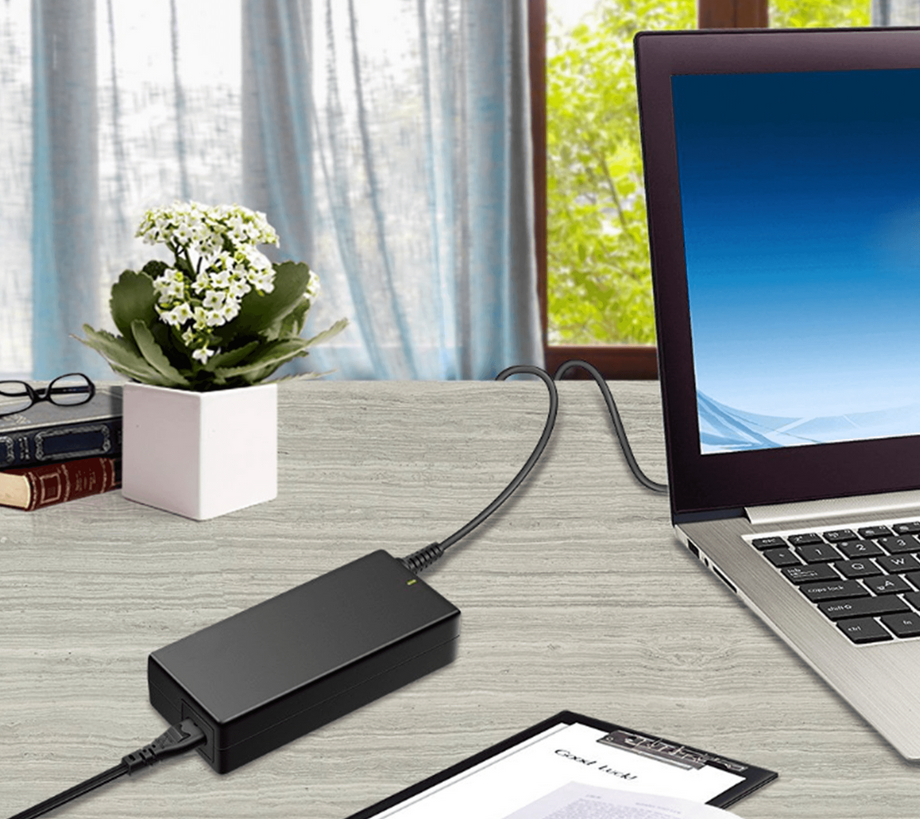
Your AC adapter is a vital component of your laptop, providing the necessary power to keep it running. Unfortunately, AC adapters can be fragile and prone to damage, and replacing them can be costly. In this article, we’ll provide some tips on how to prolong the lifespan of your AC adapter and avoid the expense of having to replace it frequently.

Unplug Your Adapter When Not in Use
One of the simplest ways to extend the life of your AC adapter is to unplug it from the power source when it’s not in use. This will not only save energy but also prevent the adapter from being exposed to power surges or voltage fluctuations.

Properly Store Your Adapter
When you’re not using your AC adapter, it’s important to store it properly. Avoid wrapping the cord around the adapter, as this can cause the wires to become tangled and ultimately result in damage. Instead, neatly coil the cord and secure it with a rubber band or twist tie.

Keep Your Adapter Cool
AC adapters can generate a lot of heat when they’re in use. To prevent overheating and damage, make sure your adapter is in a well-ventilated area and avoid covering it with any materials that may obstruct airflow.

Check the Cord Regularly
The cord of your AC adapter is one of the most vulnerable parts of the device, and it can be easily damaged or frayed. To prevent this from happening, check the cord regularly for any signs of wear and tear, such as exposed wires or cracks in the outer coating. If you notice any damage, it’s important to replace your adapter immediately.

Avoid Pulling the Cord
Another common cause of damage to AC adapters is pulling on the cord to unplug it from the wall or laptop. To prevent this, always grip the adapter itself when unplugging it, and avoid yanking the cord.

Use the Right Adapter
It’s important to use the correct AC adapter for your laptop, as using the wrong one can damage your device and potentially cause a fire hazard. Make sure you check your laptop’s manual or specifications to ensure you’re using the right adapter.

Invest in a Surge Protector
A surge protector can help protect your AC adapter (and other electronics) from power surges, which can be caused by lightning strikes or other electrical issues. Consider investing in a surge protector to prevent any damage to your AC adapter or laptop.

By following these tips, you can help prolong the lifespan of your AC adapter and avoid the costly expense of having to replace it frequently. Keep in mind that if your AC adapter is showing signs of damage or wear and tear, it’s important to replace it as soon as possible to prevent any further damage to your laptop or potential safety hazards.

Posted on

Understanding Voltage and Amperage in Battery Charging

Understanding Voltage and Amperage in Battery Charging

In today’s world, we rely heavily on technology to keep us connected, informed, and productive. Whether it’s our laptops, smartphones, or other devices, they all have one thing in common – they need to be charged. While most of us have grown accustomed to plugging in our devices and waiting for them to charge, many of us don’t understand the science behind it.

At its most basic level, battery charging is the process of increasing the energy stored in a battery. This energy is stored in the form of chemical bonds between the battery’s electrodes and electrolyte. When we plug in our devices to charge, the battery’s voltage increases, which in turn increases the amount of energy stored.

So what exactly is voltage? Voltage, also known as electrical potential difference, is a measure of the energy that is stored in a battery. When a battery is charged, the voltage across its electrodes increases, and when it is discharging, the voltage decreases.

Along with voltage, amperage is also an important factor in battery charging. Amperage refers to the amount of current flowing through the battery at any given time. The more current that is flowing through the battery, the faster it will charge. However, too much current can cause the battery to overheat and potentially become damaged.

When it comes to charging our devices, it’s important to choose the right adapter and cable. The voltage and amperage requirements for each device are typically listed on the device’s specifications. Using an adapter that doesn’t provide the correct voltage or amperage can not only slow down the charging process, but it can also damage the battery over time.

At adapter-chargers.com, we understand the importance of proper battery charging. As a manufacturer representative and distributor of replacement laptop batteries and adapters, we are dedicated to providing high-quality products that are designed to keep your devices running smoothly. Whether you need a new adapter for your laptop or a replacement battery, we have you covered.

Understanding the science behind battery charging is important for ensuring that our devices are charging properly and efficiently. By choosing the right adapter and cable, we can help extend the life of our devices and keep them running smoothly for years to come.

Posted on

Travel with Ease: The Benefits of Universal Chargers

Travel with Ease: The Benefits of Universal Chargers

Traveling can be both an exciting and challenging experience, especially when it comes to staying powered up while on the move. Universal chargers offer a solution to this problem, transforming the way we travel and stay connected.

No longer must you pack multiple chargers and adapters for each device or worry about finding a compatible outlet in a foreign land. Universal chargers are designed to work with a vast array of devices, making it simple to stay connected and charged no matter where your travels take you.

In addition to their versatility, universal chargers are also compact and lightweight, a great option for those who are looking to minimize their luggage. They can also save you money in the long run, eliminating the need to purchase multiple chargers for each device.

One of the most significant advantages of universal chargers is the convenience they provide. With just one adapter, you can keep all of your devices powered up, eliminating the need to carry multiple chargers and adapters. This can make a significant difference, especially for those traveling with multiple devices or for extended trips.

Universal chargers also offer peace of mind with their safety and reliability. Many models come equipped with safety features such as over-voltage protection, short-circuit protection, and temperature control, making them a safe and dependable option for travelers.

To sum up, universal chargers are transforming the travel industry, offering a convenient and versatile solution for staying connected and charged on the go. For frequent travelers, investing in a universal charger can make a significant difference in making their trips more manageable and enjoyable. With a universal charger, you can stay connected and powered up, no matter where your adventures take you.

Posted on

Troubleshooting Common Issues with Terminal Adapters: A Guide to Maintaining Optimal Performance

Troubleshooting Common Issues with Terminal Adapters: A Guide to Maintaining Optimal Performance

Terminal adapters are a useful tool for connecting different types of cables and converting signals for various applications, including audio and video signals, data transfer, and power supply. However, like any technology, they can experience issues that can hinder their performance. In this article, we will provide readers with information on common issues that may arise when using terminal adapters and how to troubleshoot them. We will also provide tips for maintaining and cleaning terminal adapters to ensure optimal performance.

Issue #1: Poor Connection

One of the most common issues with terminal adapters is poor connection. This can be caused by loose cables, damaged ports, or incompatible devices. To troubleshoot poor connection, try the following:

  • Check all cables and ports for damage or debris and ensure they are properly connected.
  • Use a different cable or port to see if the issue persists.
  • Check the compatibility of the devices and adapters being used.

Issue #2: Signal Interference

Signal interference can be caused by electromagnetic interference (EMI) or radio frequency interference (RFI). This can result in poor signal quality or loss of signal altogether. To troubleshoot signal interference, try the following:

  • Move the devices and adapters away from potential sources of interference, such as other electronics or power sources.
  • Use shielded cables to reduce the impact of EMI and RFI.
  • Use a signal booster or amplifier to enhance the signal.

Issue #3: Incorrect Settings

Incorrect settings can cause issues with signal quality and compatibility. This can be caused by incorrect driver installation or incorrect settings in the software or hardware. To troubleshoot incorrect settings, try the following:

  • Check the device and adapter settings and ensure they are correctly configured.
  • Update drivers and firmware to the latest version.
  • Reset the adapter to its default settings.

Maintenance and Cleaning Tips

To ensure optimal performance, it is important to maintain and clean your terminal adapters regularly. Here are some tips:

  • Use compressed air to remove debris from the ports and cables.
  • Clean the connectors with a soft cloth and isopropyl alcohol.
  • Store the adapters in a clean and dry environment to prevent damage.


In conclusion, troubleshooting common issues with terminal adapters is crucial to ensure optimal performance and avoid unnecessary expenses. By following the tips and methods outlined in this article, you can easily troubleshoot and maintain your terminal adapters to ensure they perform at their best.

Posted on

The Future of In-Car Entertainment: Exploring Wireless CarPlay Adapters

The Future of In-Car Entertainment: Exploring Wireless CarPlay Adapters

As technology continues to evolve, the way we use our cars is also changing. In-car entertainment systems have come a long way since the days of cassette players and AM/FM radios. Today, drivers have access to a wide range of features and options, including wireless CarPlay adapters.

Wireless CarPlay adapters are devices that allow drivers to connect their iPhones to their cars without the need for a cable. This technology has become increasingly popular in recent years, and for good reason. With a wireless adapter, drivers can access their favorite music, podcasts, and other apps directly from their car’s dashboard.

One of the biggest advantages of wireless CarPlay adapters is the convenience they offer. With no cables to connect, drivers can simply get in their car and go. This is especially useful for people who frequently switch between different vehicles, as they can easily connect their phone to any car equipped with a wireless adapter.

In addition to being more convenient, wireless CarPlay adapters are also safer. With no cables to fumble with, drivers can keep their attention focused on the road. This reduces the risk of accidents caused by distracted driving, which is a growing concern in today’s society.

Another benefit of wireless CarPlay adapters is that they can be used to upgrade older cars that do not have built-in CarPlay support. This means that drivers can enjoy the benefits of CarPlay without having to buy a new car. This is a cost-effective solution that allows people to get more use out of their current vehicles.

As the demand for wireless CarPlay adapters continues to grow, we can expect to see even more advancements in this field. For example, manufacturers are currently working on integrating wireless charging capabilities into these devices, which will make them even more convenient to use.

In conclusion, wireless CarPlay adapters are a game-changer for in-car entertainment. They offer a level of convenience and safety that traditional cable-based systems simply cannot match. With the ongoing advancements in this field, we can look forward to an even more exciting future for in-car entertainment.