
Posted on

Community Energy Storage: A New Frontier in the Transition to a Low-Carbon Energy System

Community Energy Storage: A New Frontier in the Transition to a Low-Carbon Energy System

As the world moves towards a more sustainable energy system, community energy storage has emerged as a promising solution to address the intermittency of renewable energy sources. Community energy storage systems, which are typically neighborhood-based battery systems, can store excess energy generated by solar panels, wind turbines, and other renewable energy sources, and distribute it to the grid or local communities when needed.

The benefits of community energy storage are numerous. First, it can help reduce the reliance on fossil fuel-based power plants, which are the leading contributors to greenhouse gas emissions. Second, it can provide a more stable and reliable energy supply to local communities, especially during peak demand periods. Third, it can help reduce the overall cost of energy for communities by reducing the need for expensive grid infrastructure upgrades.

Despite the potential benefits, the deployment of community energy storage systems has been slow due to various factors, including regulatory hurdles, lack of financing, and technical challenges. However, several successful pilot projects have shown that community energy storage is a viable solution for improving the resilience and sustainability of local energy systems.

One example of a successful community energy storage project is the Brooklyn Microgrid in New York, which utilizes a network of solar panels and batteries to provide power to a local community during grid outages. Another example is the 4R Energy Corporation in Japan, which has repurposed used electric vehicle batteries for community energy storage systems.

As more communities and businesses prioritize decarbonization and resilience in their energy systems, the demand for community energy storage is expected to grow. Governments and policymakers can support this transition by providing funding and regulatory frameworks to encourage the development of community energy storage systems.

Community energy storage has the potential to transform the way we generate, distribute, and consume energy, and is an exciting new frontier in the race to decarbonize our energy systems.
Posted on

The Importance of Using the Correct Tip Size for Laptop Chargers

The Importance of Using the Correct Tip Size for Laptop Chargers

As laptops have become an essential part of our daily lives, the need for laptop chargers has also grown significantly. While many of us often focus on the brand or the power output of the charger, we tend to overlook a critical component – the tip size. In this article, we’ll discuss the importance of using the correct tip size for laptop chargers and the risks associated with using the wrong size.

What is the Tip Size of a Laptop Charger?

The tip size of a laptop charger refers to the physical dimensions of the plug that connects the charger to the laptop. There are various tip sizes available in the market, and they differ based on the laptop brand and model.

Why is the Correct Tip Size Important?

Using the incorrect tip size for your laptop charger can lead to several risks, both for your laptop and for your own safety. Here are some of the risks associated with using the wrong tip size:

  • Damage to Your Laptop: Using a charger with the wrong tip size can damage the charging port of your laptop, causing it to malfunction or fail altogether. This can result in costly repairs or the need to replace your laptop entirely.
  • Overheating: An ill-fitting charger can cause your laptop to overheat, which can lead to internal damage and potentially even a fire hazard.
  • Electrical Short Circuit: Using the wrong tip size can cause an electrical short circuit, which can damage your laptop and potentially lead to electrocution.

Tips for Ensuring the Correct Tip Size

To ensure that you are using the correct tip size for your laptop charger, follow these tips:

  • Check the User Manual: Your laptop user manual should have information on the correct tip size and other specifications for the charger. Make sure to read through it carefully.
  • Look for the Model Number: You can find the model number of your laptop charger on the label or tag attached to the charger cord. Cross-check it with the user manual to ensure the correct tip size.
  • Consult with the Manufacturer: If you’re unsure about the correct tip size, it’s best to consult with the laptop manufacturer or a trusted laptop repair specialist. They can provide you with the necessary information and help you find the right charger for your laptop.

Using the correct tip size for your laptop charger is essential for the proper functioning and longevity of your laptop. It’s important to ensure that you have the correct information on hand when selecting a charger for your laptop to avoid any damage or safety risks. Remember to always consult with the laptop manufacturer or a specialist if you have any doubts or questions.

Posted on

Understanding Laptop Battery Chargers: Types and Compatibility

Understanding Laptop Battery Chargers: Types and Compatibility

As laptops become more powerful and essential for everyday use, it is important to understand the different types of battery chargers available in the market. This article will discuss the various types of laptop battery chargers and their compatibility with different laptop brands and models.

AC Adapters

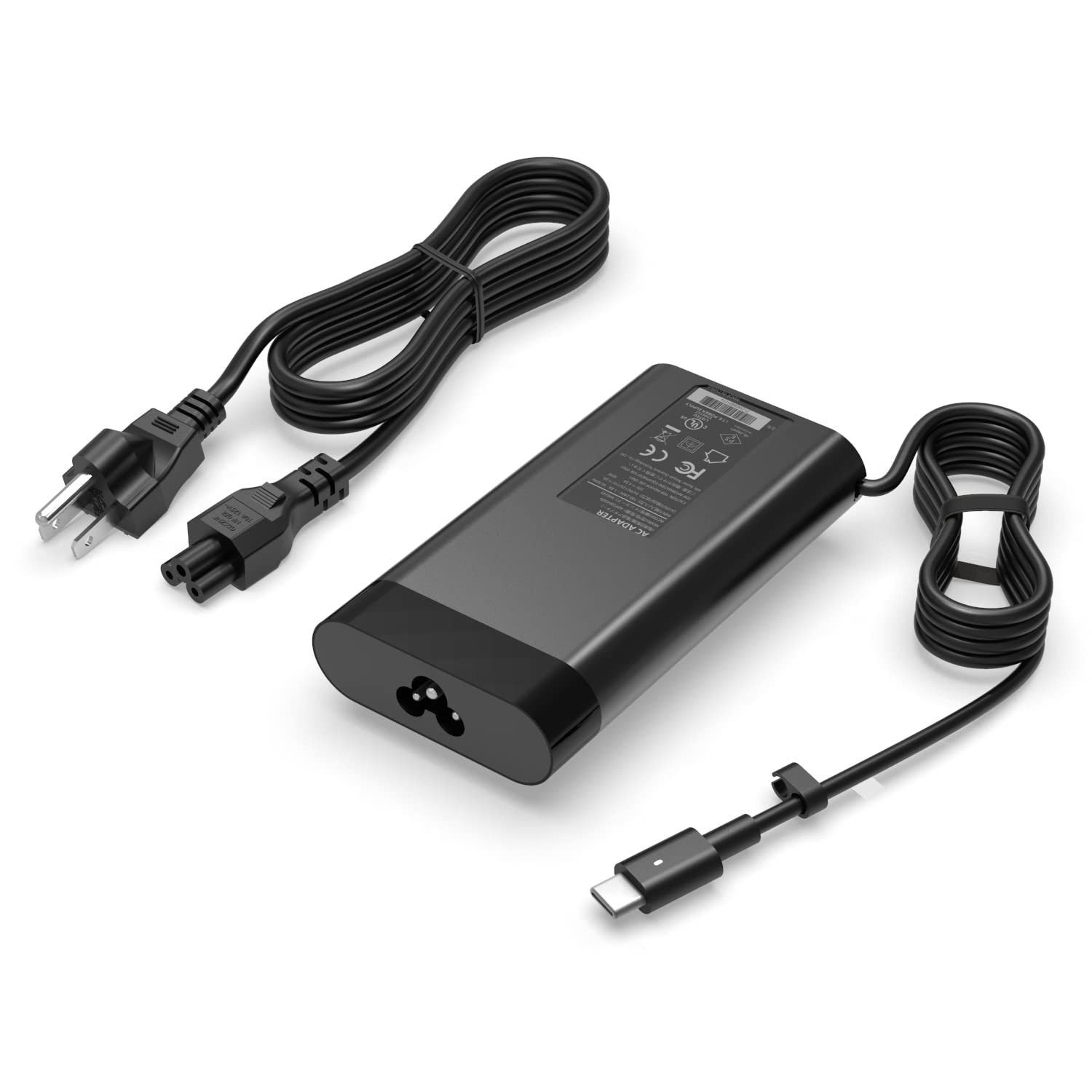
The most common type of laptop charger is the AC adapter, which connects to a wall outlet and charges the laptop’s battery through a cable that plugs into the laptop’s power port. AC adapters are typically provided by the laptop manufacturer and are specifically designed to work with the laptop model. It is important to ensure that the wattage of the AC adapter matches the requirements of the laptop.

Car Chargers

Car chargers are designed for use in vehicles and connect to the car’s cigarette lighter or accessory port. These chargers allow users to charge their laptops while on the go, making them ideal for business travelers and commuters. It is important to ensure that the car charger is compatible with the laptop brand and model.

Universal Chargers

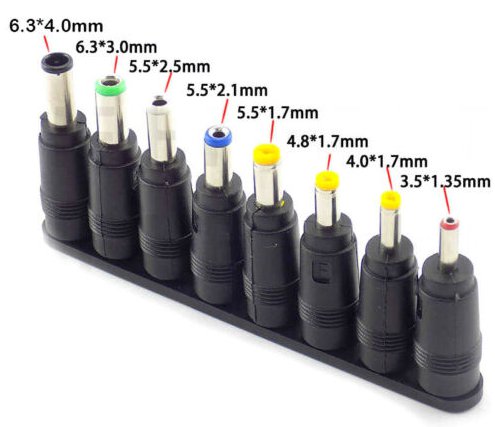
Universal chargers are designed to be compatible with multiple laptop brands and models. These chargers come with a variety of tips that can be interchanged to fit different laptops. Universal chargers can be convenient for users who own multiple laptops or for those who frequently use their laptop on the go. It is important to ensure that the universal charger is compatible with the laptop’s voltage requirements.

Compatibility

It is important to ensure that the charger is compatible with the laptop’s voltage requirements. Using a charger with the wrong voltage can cause damage to the laptop’s battery or even cause a fire. It is also important to use chargers that are specifically designed for the laptop brand and model to ensure proper charging and prevent damage to the laptop’s battery.

Understanding the different types of laptop battery chargers and their compatibility with different laptop brands and models is essential for proper charging and preventing damage to the laptop’s battery. AC adapters, car chargers, and universal chargers are the most common types of laptop chargers available in the market. It is important to ensure that the charger is compatible with the laptop’s voltage requirements and is specifically designed for the laptop brand and model. By following these guidelines, users can ensure proper charging and extend the lifespan of their laptop’s battery.

Posted on

Troubleshooting Guide: Fixing Laptop Battery Not Charging Issues Caused by a Bad AC Adapter

Troubleshooting Guide: Fixing Laptop Battery Not Charging Issues Caused by a Bad AC Adapter

Are you facing issues with your laptop battery not charging? Don’t worry, this is a common problem faced by many laptop users. The culprit for this problem could be a bad AC adapter. In this article, we will discuss the steps to identify and fix laptop battery not charging issues caused by a bad AC adapter.

Step 1: Check the adapter connection
The first step is to ensure that the adapter is properly connected to your laptop. Check the adapter cable for any damages or wear and tear. Also, check if the adapter connector is properly inserted into the laptop charging port. If the connector is loose or damaged, it can cause charging issues.

Step 2: Check the adapter voltage
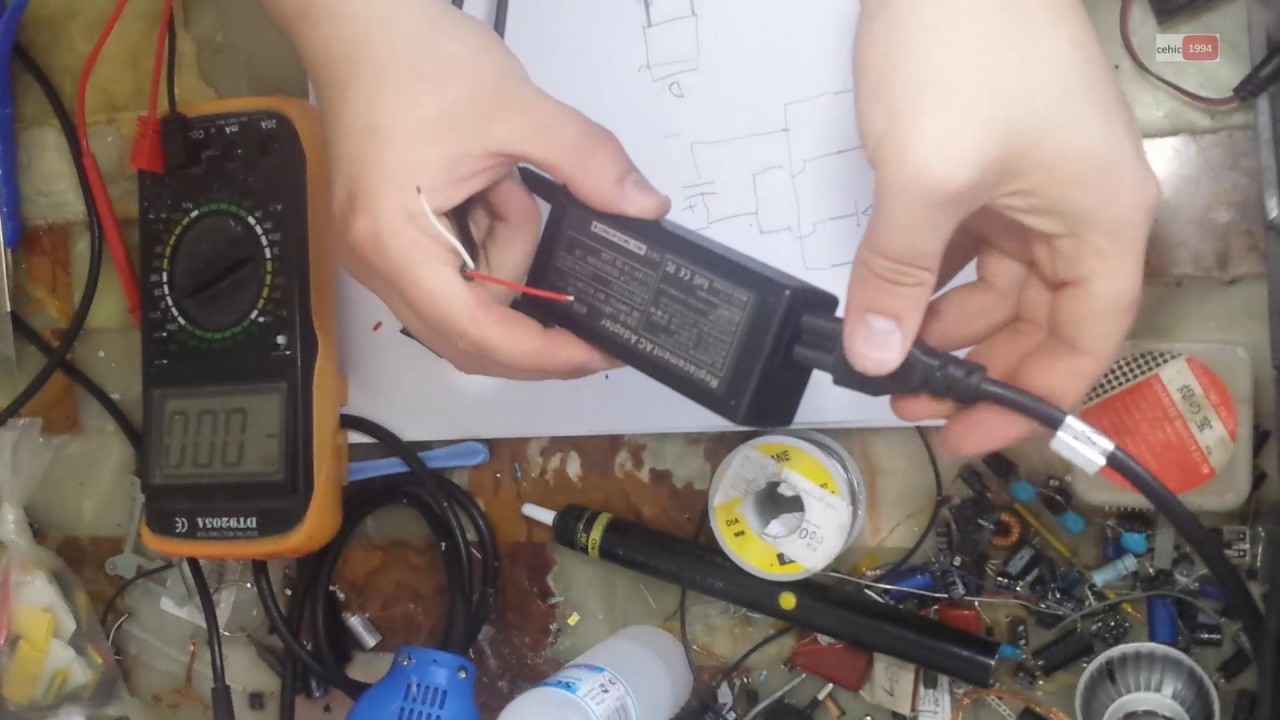
The next step is to check the voltage of the adapter. Most laptop adapters have a voltage output of 19V or 20V. You can check the voltage output of the adapter using a multimeter. If the voltage output is less than the required voltage, it can cause charging issues.

Step 3: Check the adapter for damages
Inspect the adapter for any physical damages such as cracks, dents, or exposed wires. Damages to the adapter can cause a short circuit and prevent the laptop from charging.

Step 4: Test the laptop battery
Remove the laptop battery and test it using a battery tester. If the battery is working fine, it could be a problem with the adapter.

Step 5: Replace the AC adapter
If the above steps do not solve the issue, the problem could be a faulty AC adapter. In this case, replace the adapter with a genuine and compatible adapter. Using a non-genuine adapter can cause damage to the laptop and battery.

Conclusion:
A bad AC adapter is one of the common causes of laptop battery not charging issues. By following the above steps, you can identify and fix the problem. It is important to use a genuine and compatible AC adapter to ensure the longevity of your laptop and battery.

Posted on

The Risks of Using a Non-Genuine Laptop Adapter

The Risks of Using a Non-Genuine Laptop Adapter

Laptop adapters are essential accessories that power our devices, but they can also pose risks if they are not genuine. The market is flooded with fake adapters, which are cheaper alternatives to genuine ones. Using a non-genuine laptop adapter can harm your device and compromise your safety. In this article, we will explore the risks of using non-genuine laptop adapters and why you should always choose a genuine adapter.

  • Quality concerns: Non-genuine laptop adapters may not meet the same safety and quality standards as genuine ones. They may be poorly designed, with substandard components that can fail or damage your laptop. Poorly constructed adapters can also be a fire hazard, putting your safety at risk.
  • Voltage and amperage: Genuine laptop adapters are designed to deliver the correct voltage and amperage to your laptop. If a non-genuine adapter delivers too much or too little power, it can damage the internal components of your laptop. This can lead to data loss, or even complete device failure.
  • Short-circuiting: Non-genuine laptop adapters may not have the same safety features as genuine ones. If an adapter doesn’t have proper insulation and grounding, it can cause a short circuit. Short circuits can cause electrical fires and can also damage your laptop beyond repair.
  • Warranty void: Using a non-genuine laptop adapter can void your warranty. If something goes wrong with your laptop, the manufacturer may not repair or replace it if it’s determined that the problem was caused by a non-genuine adapter.
  • Compatibility issues: Non-genuine laptop adapters may not be compatible with your laptop, even if they look similar. If an adapter doesn’t fit properly, it can damage your laptop’s charging port. It may also cause your laptop to overheat, reducing its performance and lifespan.

Conclusion:
Using a non-genuine laptop adapter can pose significant risks to your laptop and your safety. Genuine adapters may cost more, but they provide peace of mind knowing that you’re using a product that is designed to be safe and compatible with your laptop. When shopping for a laptop adapter, always choose a genuine adapter from a reputable manufacturer to ensure your device’s safety and longevity.

Posted on

The Importance of Laptop Adapter Safety: Protecting Your Life and Home

The Importance of Laptop Adapter Safety: Protecting Your Life and Home

Laptops have become an essential part of our lives, allowing us to work, study, and communicate from anywhere. However, the safety of the laptop adapter that powers our devices is often overlooked. Many people fail to realize that using faulty adapters can have serious consequences, ranging from electric shocks to property damage or even death.

In this article, we will explore the importance of taking laptop adapter safety seriously and how it can impact your life and home. We will also provide some tips on how to ensure that your laptop adapter is safe to use.

The Dangers of Faulty Laptop Adapters

Laptop adapters that are poorly designed, damaged, or counterfeit can be a serious hazard to your safety. In some cases, they can cause electric shocks, burns, or even fires. These risks are not only limited to the user but can also put others in the vicinity in danger.

The root cause of these dangers is the fact that laptop adapters operate at high voltages and are exposed to constant wear and tear. This can lead to components becoming loose, wires fraying, or insulation breaking down, making the adapter unsafe to use.

The Impact of Laptop Adapter Safety on Your Life and Home

Using a faulty laptop adapter can have a significant impact on your life and home. Electric shocks or burns can lead to serious injuries, and in some cases, they can be fatal. Fires caused by faulty adapters can result in extensive property damage or even the loss of a home or business.

It’s not just the immediate impact of these incidents that is concerning, but also the long-term effects they can have on your health and well-being. Victims of electric shocks or fires can experience psychological trauma that can last for years after the incident.

Steps to Ensure Laptop Adapter Safety

There are some simple steps you can take to ensure that your laptop adapter is safe to use. Here are some tips:

  • Use only the adapter that came with your laptop or a reputable replacement. Cheap, counterfeit adapters are often poorly designed and may not meet safety standards.
  • Inspect the adapter regularly for signs of damage, such as frayed wires or loose connections. If you notice any issues, stop using the adapter immediately.
  • Keep the adapter away from liquids, extreme temperatures, and direct sunlight, as these factors can damage it.
  • Use a surge protector to protect against power surges and voltage spikes.
  • If you’re unsure about the safety of your adapter, have it inspected by a professional.

In conclusion, taking laptop adapter safety seriously is crucial for protecting your life and home. By being aware of the risks and following the tips outlined in this article, you can ensure that your laptop adapter is safe to use and enjoy the benefits of your device without worry.

Posted on

Why Overcharging is Harmful for Your Laptop Battery: A Comprehensive Guide to Battery Care

Why Overcharging is Harmful for Your Laptop Battery: A Comprehensive Guide to Battery Care

As technology continues to advance, laptops have become an essential part of our daily lives. Whether it’s for work, entertainment, or communication, laptops have become an indispensable tool for many people. However, with great convenience comes great responsibility, and one of the most critical aspects of laptop care is battery management. Overcharging is one of the most common mistakes that laptop users make, and it can have serious consequences on the battery’s performance and lifespan.

What is Overcharging?

Overcharging happens when a laptop battery continues to charge after reaching its full capacity. When the battery is fully charged, the charger should stop providing power, but sometimes, this doesn’t happen, and the battery can continue to charge. Overcharging causes the battery to generate heat and can lead to a reduction in battery capacity, shortening its lifespan. If left unaddressed, overcharging can even lead to permanent damage and a potential fire hazard.

How to Avoid Overcharging

Avoiding overcharging is simple with the right precautions. The following are some practical tips for proper battery care:

  • Use Power Management Settings: Power management settings can help preserve your battery’s lifespan and prevent overcharging. Most laptops come with power management settings that let you set battery thresholds that prevent overcharging.
  • Unplug the Charger: One of the easiest ways to prevent overcharging is to unplug the charger once the battery is fully charged. Leaving your laptop plugged in all the time can put undue stress on your battery and reduce its lifespan.
  • Avoid Extreme Temperatures: Avoid exposing your laptop to extreme temperatures, such as leaving it in direct sunlight or in a car during hot weather. High temperatures can cause the battery to degrade faster and increase the risk of overcharging.
  • Use High-Quality Charging Accessories: Using high-quality and compatible charging accessories can help prevent overcharging and ensure the best possible performance and lifespan for your battery.

Final Thoughts

Proper battery care is essential for maintaining optimal performance and maximizing the lifespan of your laptop battery. Avoiding overcharging is one of the most critical aspects of battery care, and by following the tips and strategies provided in this guide, you can help ensure that your laptop battery remains healthy and reliable. So next time you’re using your laptop, keep these tips in mind to get the most out of your battery and stay productive for longer.

Posted on

To Plug or Not to Plug: Is it Safe to Keep Laptop Adapters Plugged In?

To Plug or Not to Plug: Is it Safe to Keep Laptop Adapters Plugged In?

Laptop adapters are essential accessories for anyone who uses a laptop. These devices convert AC power from the wall into DC power that can be used by your laptop. However, many people wonder whether it’s safe to keep laptop adapters plugged in all the time. In this article, we’ll explore the safety concerns and discuss whether you should unplug your laptop adapter when it’s not in use.

Heat and Fire Hazards

One of the primary concerns with leaving your laptop adapter plugged in all the time is the risk of overheating. Adapters can generate a lot of heat, especially if they’re used for extended periods. Over time, this heat can cause the adapter to degrade, which could potentially lead to a fire hazard. However, most modern laptop adapters are designed to handle continuous use, and the risk of fire is relatively low. That being said, it’s always a good idea to check your adapter regularly for signs of wear and tear, such as frayed cords or damaged insulation.

Energy Consumption

Another concern with leaving your laptop adapter plugged in is energy consumption. Even when your laptop is turned off, the adapter will continue to draw power from the outlet. This means that you’ll be wasting energy and money if you leave your adapter plugged in when it’s not needed. If you’re worried about your energy bill or want to reduce your carbon footprint, it’s a good idea to unplug your adapter when you’re not using it.

Battery Health

Finally, leaving your laptop adapter plugged in can also affect your laptop’s battery health. Overcharging your laptop’s battery can cause it to degrade more quickly, reducing its overall lifespan. This is because most laptops are designed to stop charging the battery once it reaches 100%. However, if your adapter is plugged in, your laptop will continue to draw power from the outlet, which could cause the battery to overcharge. To avoid this issue, it’s a good idea to unplug your adapter once your battery is fully charged.

In Conclusion

So, is it safe to keep your laptop adapter plugged in all the time? The short answer is that it’s generally safe, but it’s not recommended. While the risk of fire or other hazards is relatively low, it’s still a good idea to unplug your adapter when it’s not in use. This will help to reduce your energy consumption and may extend the lifespan of your laptop’s battery.

Posted on

Choosing the Right Adapter and Charger for Your HP ENVY 14 Spectre: A Complete Guide

Choosing the Right Adapter and Charger for Your HP ENVY 14 Spectre: A Complete Guide

The HP ENVY 14 Spectre is a high-performance laptop that requires a powerful adapter and charger to function at its best. Choosing the right adapter and charger for your HP ENVY 14 Spectre can be a bit confusing, as there are many options available on the market. In this article, we’ll help you understand the important factors you need to consider when selecting an adapter and charger for your HP ENVY 14 Spectre.

Factors to Consider When Choosing an Adapter and Charger:

  • Voltage and Amperage: The first factor you need to consider when choosing an adapter and charger for your HP ENVY 14 Spectre is the voltage and amperage requirements. The voltage requirement for the HP ENVY 14 Spectre is 19.5V, and the amperage requirement is 3.33A. Make sure that the adapter and charger you choose meet these requirements.
  • Compatibility: It’s important to choose an adapter and charger that are compatible with your HP ENVY 14 Spectre. You can find the compatible part numbers for your laptop in the user manual or on the HP website. Make sure that the adapter and charger you choose match the part number of your laptop.
  • Quality and Reliability: When choosing an adapter and charger for your HP ENVY 14 Spectre, it’s important to choose high-quality and reliable products. Choose a reputable manufacturer that offers a warranty and customer support. This will ensure that you have a product that you can rely on for years to come.

Conclusion:
Choosing the right adapter and charger for your HP ENVY 14 Spectre is essential to ensure that your laptop runs smoothly and efficiently. By considering the voltage and amperage requirements, compatibility, and quality and reliability of the adapter and charger, you can find the perfect match for your HP ENVY 14 Spectre. Adapter-chargers.com is a reputable manufacturer representative and distributor of replacement laptop batteries and adapters, and they can help you find the right adapter and charger for your laptop.

Posted on

Laptop Adapter Compatibility: Everything You Need to Know

Laptop Adapter Compatibility: Everything You Need to Know

Laptops are an essential part of our daily lives. Whether it’s for work, entertainment or communication, we depend on them to get things done. And to ensure our laptops are always powered up and ready to go, we rely on laptop adapters. However, not all laptop adapters are created equal, and compatibility is an important factor to consider when purchasing one. In this article, we’ll explore laptop adapter compatibility, what you need to know, and how to make sure you choose the right one for your device.

Understanding Laptop Adapters:

Before we dive into compatibility, it’s important to understand what laptop adapters are and how they work. Laptop adapters are devices that convert AC power from a wall outlet into DC power that your laptop can use. They typically consist of two parts: the power brick and the cord that connects it to the laptop.

Laptop adapters come in a variety of shapes, sizes, and wattages, and each model is designed to work with specific laptop brands and models. If you use the wrong adapter for your laptop, you may experience issues like slow charging or damage to your laptop’s battery or internal components.

Compatibility Factors:

  • When it comes to laptop adapter compatibility, there are a few factors to consider:
  • Voltage: The voltage of the adapter should match the voltage required by your laptop. Most laptop adapters have an output voltage between 16 and 20 volts, but it’s important to check your laptop’s manual or specifications to ensure you choose the right one.
  • Amperage: The amperage, or current, of the adapter should also match what your laptop requires. If the adapter’s amperage is too low, it may not be able to provide enough power to your laptop, while an adapter with too high an amperage may cause damage to your laptop.
  • Connector Size and Shape: Laptop adapters also come with different connector sizes and shapes. It’s important to choose an adapter that has the correct connector for your laptop, as using the wrong size or shape could result in damage to the connector or port.
  • Brand and Model: Finally, it’s important to choose an adapter that is designed for your specific laptop brand and model. While some adapters may work with multiple brands, it’s always best to choose one that is recommended by the manufacturer to ensure compatibility.

How to Choose the Right Adapter:

  • To choose the right laptop adapter for your device, follow these steps:
  • Check Your Laptop’s Specifications: The first step is to check your laptop’s manual or specifications to determine the required voltage and amperage, as well as the connector size and shape.
  • Find a Compatible Adapter: Once you have this information, search for laptop adapters that match your laptop’s requirements. Be sure to choose an adapter that is recommended by the manufacturer or a reputable third-party supplier.
  • Double-Check Compatibility: Before purchasing, double-check that the adapter is compatible with your laptop’s brand and model, as well as the connector size and shape.
  • Read Reviews and Ratings: Finally, read reviews and ratings from other users to ensure the adapter is high-quality and reliable.

Conclusion:

Choosing the right laptop adapter is essential to ensure your device is powered up and ready to go whenever you need it. By understanding the factors that affect compatibility and following the steps outlined above, you can find a high-quality adapter that is compatible with your laptop and meets your specific needs. And, as always, be sure to purchase from a reputable supplier like adapter-chargers.com to ensure the best possible experience.